AI Rap Video Generator
Upload a photo and turn it into an original rap performance video.
AIVision creates a new photo-driven scene inspired by freestyle-video trends. Results depend on the source image and current model capabilities.
1. Upload a portrait photo
JPG, PNG or WebP · up to 30MB · clear face · minimum 256 × 256
Up to 4 images; hover to manage each reference.
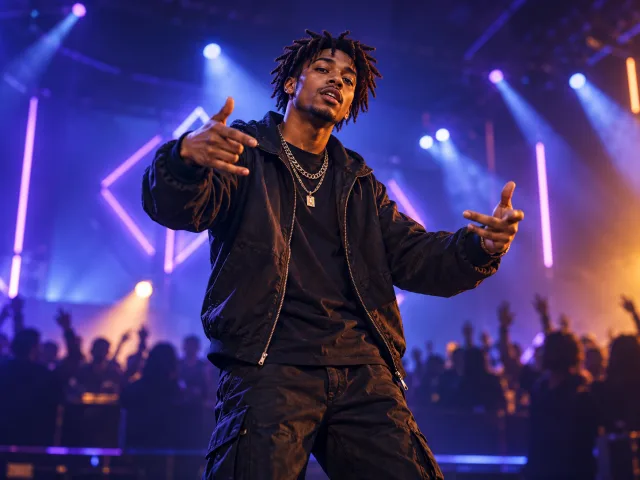
2. Choose a video template
3. Upload background music (optional)
MP3, WAV, M4A or AAC · up to 30MB · mixed into the generated video
How to Make an AI Rap Video
Upload one photo
Choose a clear, well-lit portrait you have permission to use.
Pick a creative direction
Select an original Freestyle template, add optional background music, and refine the prompt.
Generate, preview, and download
Follow the real task status, then review the result before downloading.
Pick what you want to make
Each template opens the studio with a matching creative direction and settings.
Why Choose the AI Rap Video Generator?
Create a short, original street-style scene from one photo without building a traditional editing timeline.
Photo-driven video
Start from a clear portrait. Every generation may differ because AI video is probabilistic.
Original creative templates
Boom Bap, Trap, Drill, and Melodic Rap provide four distinct server-controlled directions.
One simple workspace
Upload, choose, submit, track, preview, and download from the same page.
Flexible output controls
Choose the aspect ratio, duration, resolution, and audio mode for each generation.
Designed for social experiments
Switch between vertical, landscape, and square formats for different social placements.
AI Rap Video Generator FAQs
1.What is this tool?
It is an independent AIVision page for creating new, freestyle-inspired videos from one photo. It is not an official Bulin 47 service.
2.How do I create a video?
Upload a valid portrait, choose a template, optionally add a prompt, and submit the task. Preview and download appear only after the provider returns a real result.
3.What photo works best?
Use a clear, well-lit photo with one visible subject and minimal face obstruction. The uploader accepts JPG, PNG, and WebP files up to 30MB.
4.Does the result reproduce a performer or an existing video exactly?
No. Templates create original scenes and do not promise an exact performer, recording, action, composition, or lip-sync.
5.Does the video include audio?
You can optionally upload MP3, WAV, M4A, or AAC background music. The workflow uses that file as the audio reference instead of generating new audio.
6.How long does generation take?
Provider load and model processing time vary. The page reports queued, processing, success, or failure states without inventing a percentage.
7.Can I download and share it?
A download is offered when a real result is available. Review the output and confirm you have rights to the source image before sharing.
8.Can I use it commercially?
Commercial use depends on provider terms, your source-image rights, AIVision terms, and applicable law. Do not assume every output is automatically cleared.
AIVision is an independent AI creation tool. It is not affiliated with or endorsed by Bulin 47, Dame Hombro, or their rights holders. Names are used to describe the trend or creative context only.